Saving up space for Elastic Search

Elastic Search is a massive tool with lot of functionality and with few defaults in place to allow to get started instantly. Below are the few ways to watch, and instantly save some space, until you can increase your server storage. On the other hand, you can always use elastic-cloud to help with scaling up.
Change Replica Set to 0 or lesser for non-critical index
Replicas are nothing but a copy of the exact data that you have. For example, if a index is of sized 100GB, its replica will be also 100GB. So in total it will cost you 200GB. Hence you should only replica if the data is important, and needed for fail-over.
Below will set the default to 0 replicas, as such by default you will have space.
PUT /*/_settings
{
 "index" : {
  "number_of_replicas":0
 }
}
Set Lifecycle Policies to delete the index after X days
You can set lifecycle policies on your index to delete the index after the certain numbers of days
Set the Policy name, that you will like to add for example: elasticsearch-index-ilm, after which you can skip to the end where you can enable delete phase:

More info: https://www.elastic.co/guide/en/elasticsearch/reference/current/index-lifecycle-management.html
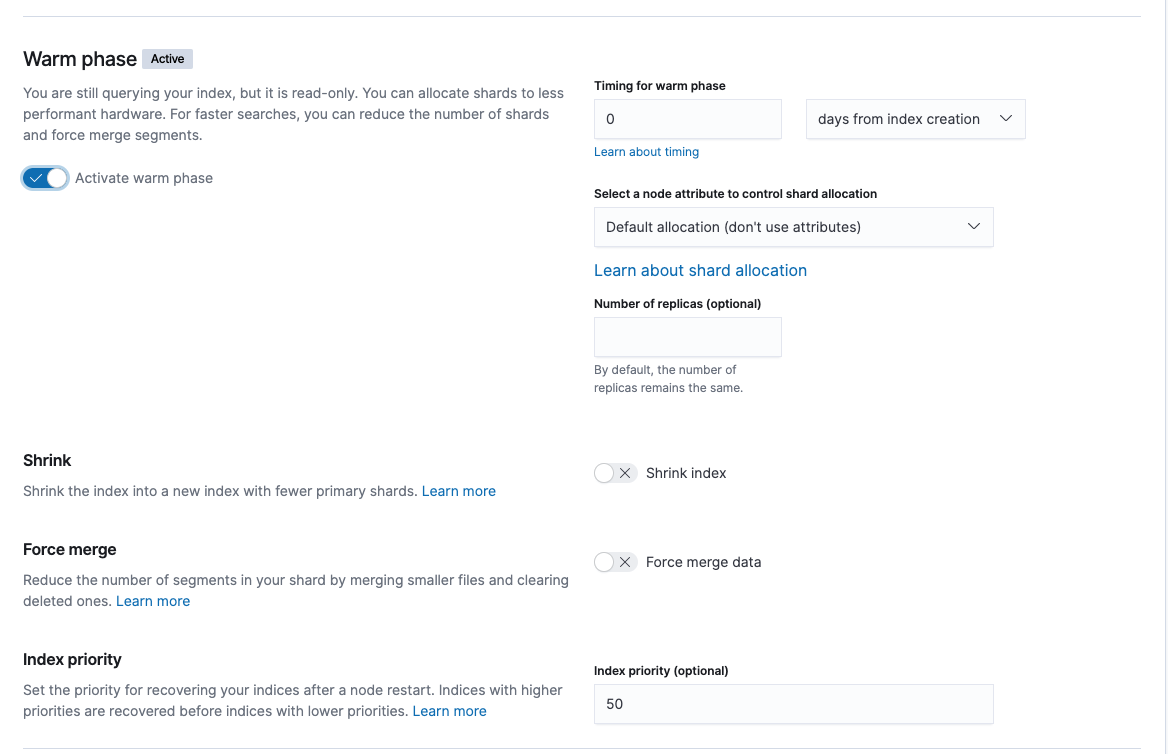
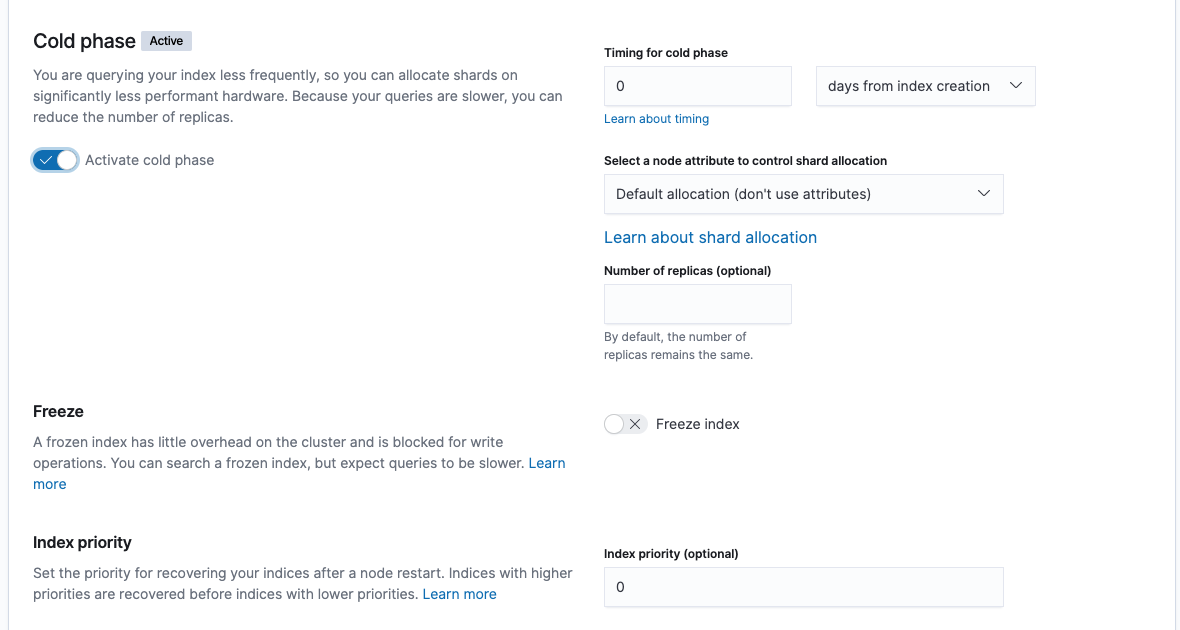
Move indexes to different tiers
In addition to the above, you can move the same to different tiers such as Warm Phase:
and/or Cold Phase:
Set fixed template to disallow for new fields (and data added)
For setting the fixed template, as I have discussed in another article: Restricting the mapping
The above are the few examples of the saving the space and its pretty basic to understand and incorporate immediately without making many changes or re-designing the architecture.
Thanks for reading, please share and like for others to benefit from the articles.